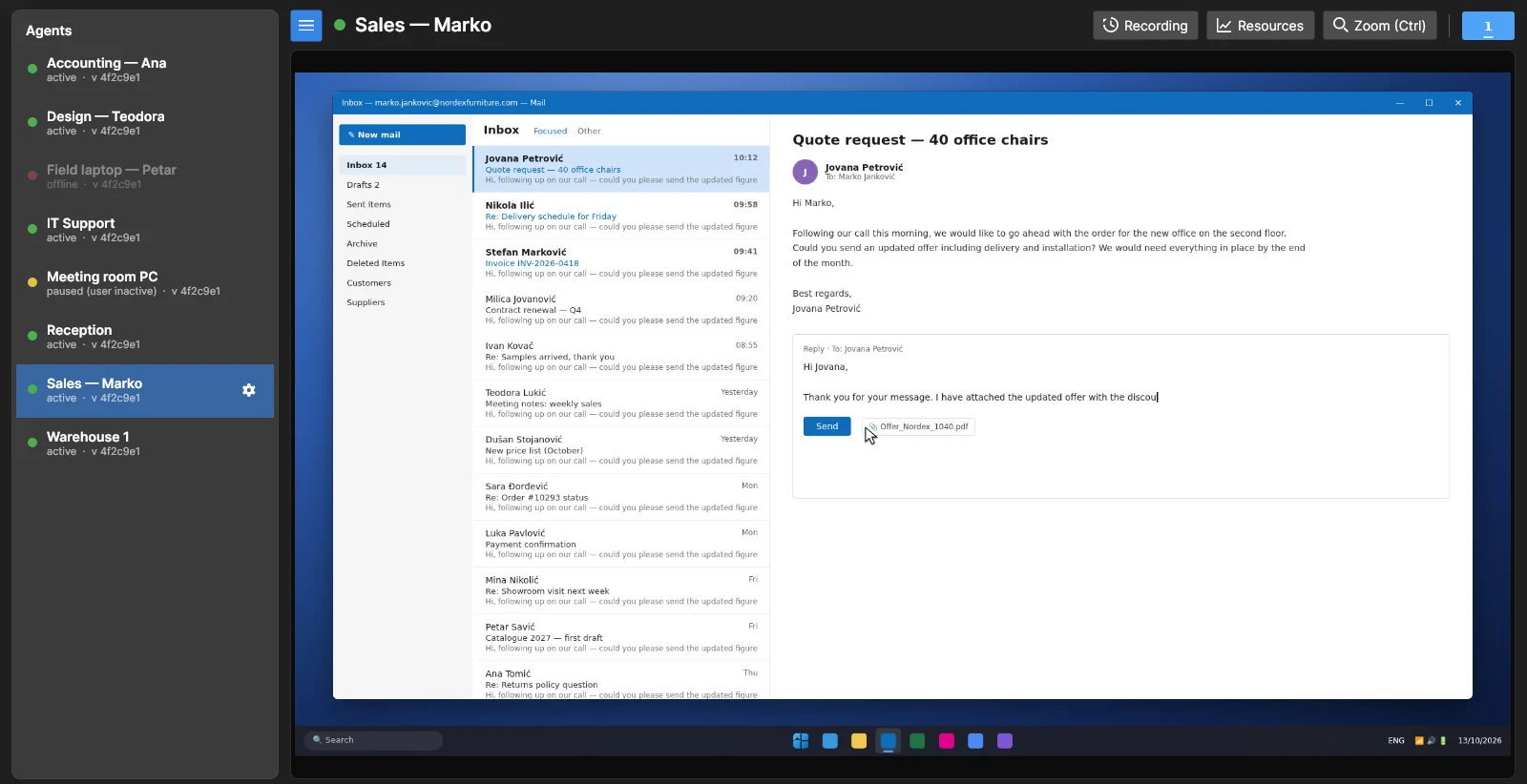
Everything you need to know what happens at work
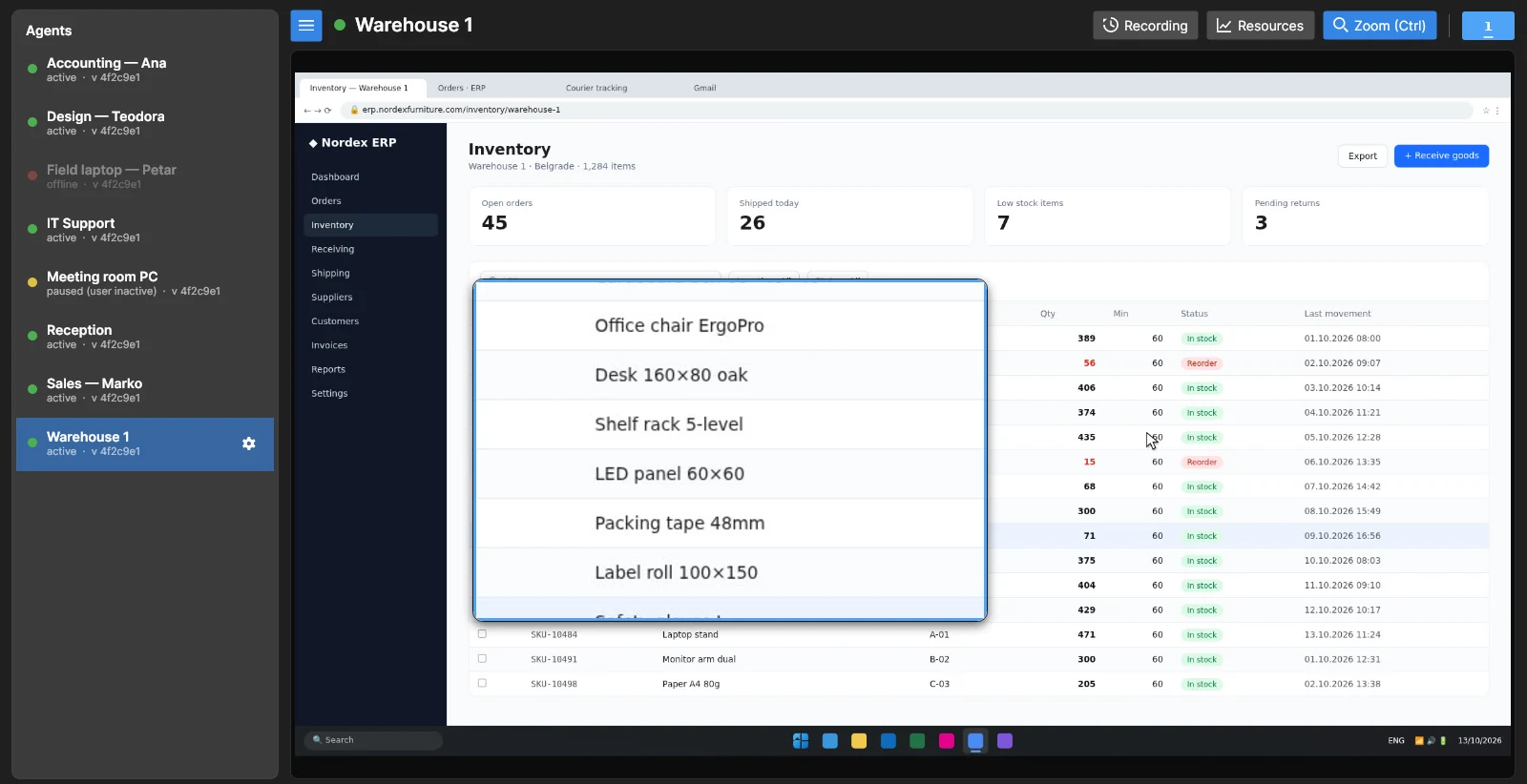
Every computer, one window
All your computers in one list, with a clear status for each: working, idle or offline. Click one and its screen opens right away.
- Near real-time picture of the screen
- Name computers after people, teams or rooms
- Zoom in to read the small print
Rewind the workday
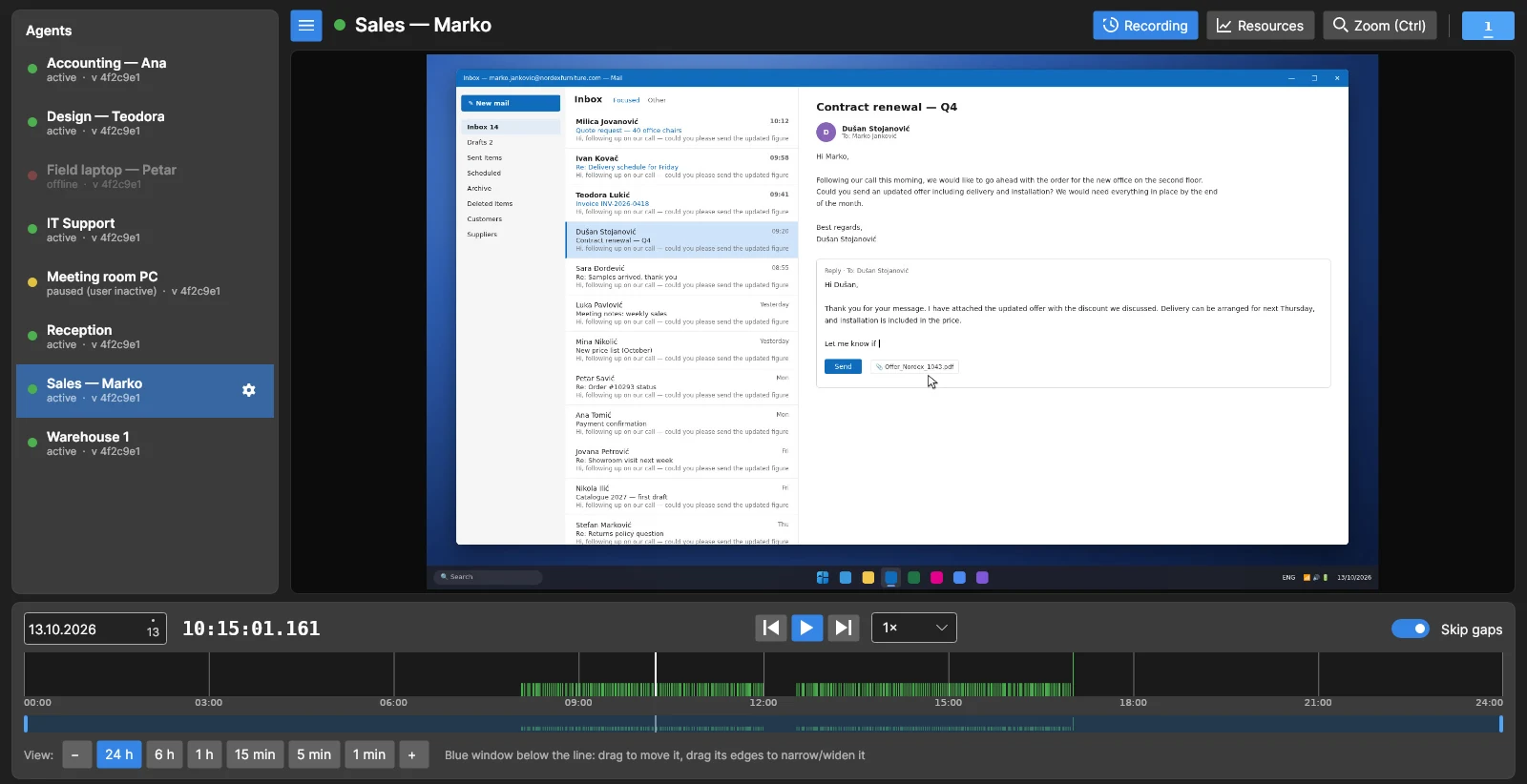
Something went wrong at 10:15? Pick the day, click the moment on the timeline and see exactly what was on the screen.
- Timeline shows when each PC was in use
- Play at up to 300× to review a whole day in minutes
- Skips the time when nobody was at the computer
Every monitor, not just the main one
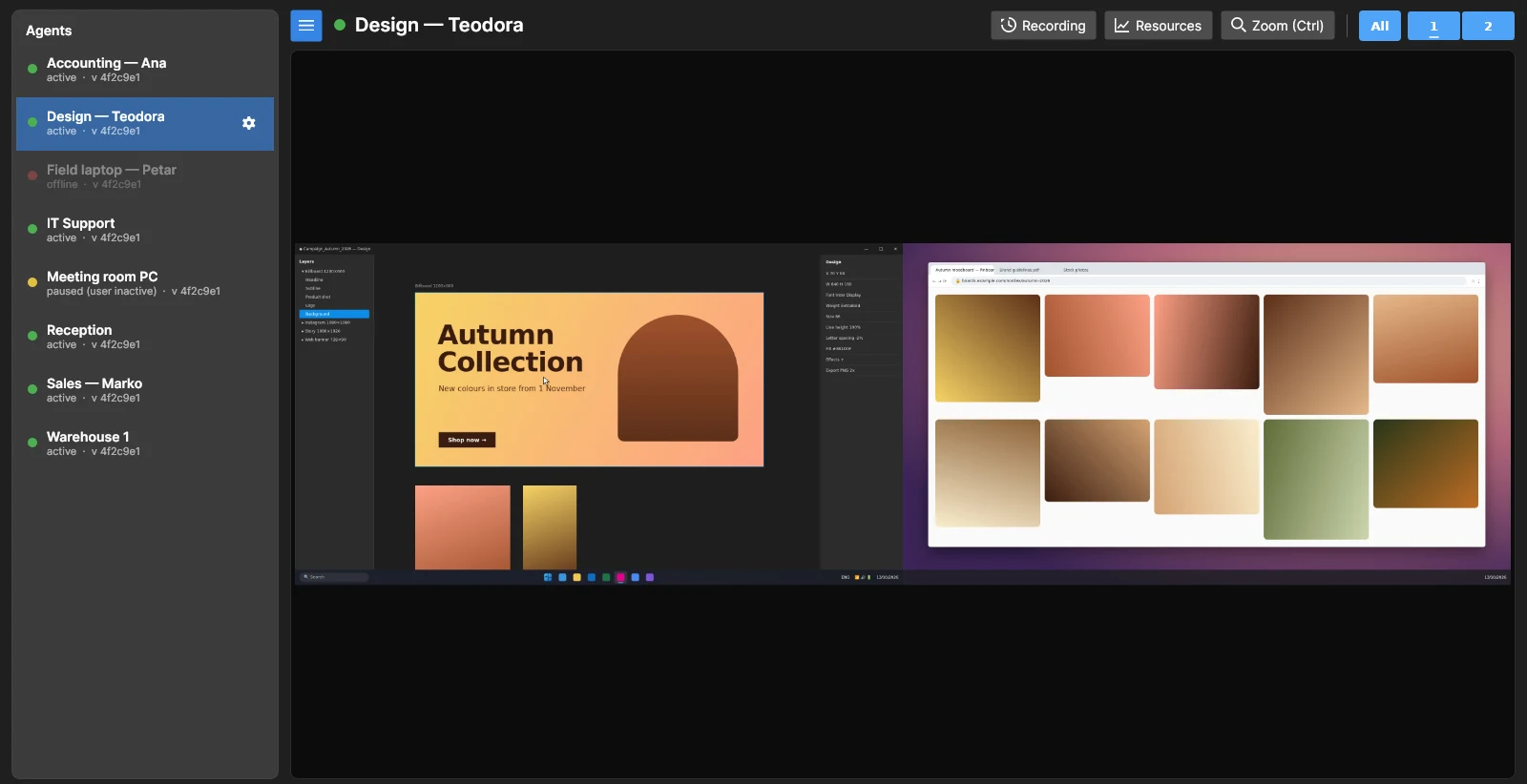
Two or three screens on a desk? See them side by side, or switch to just the one you care about.
- All monitors captured together
- One click to focus on a single screen
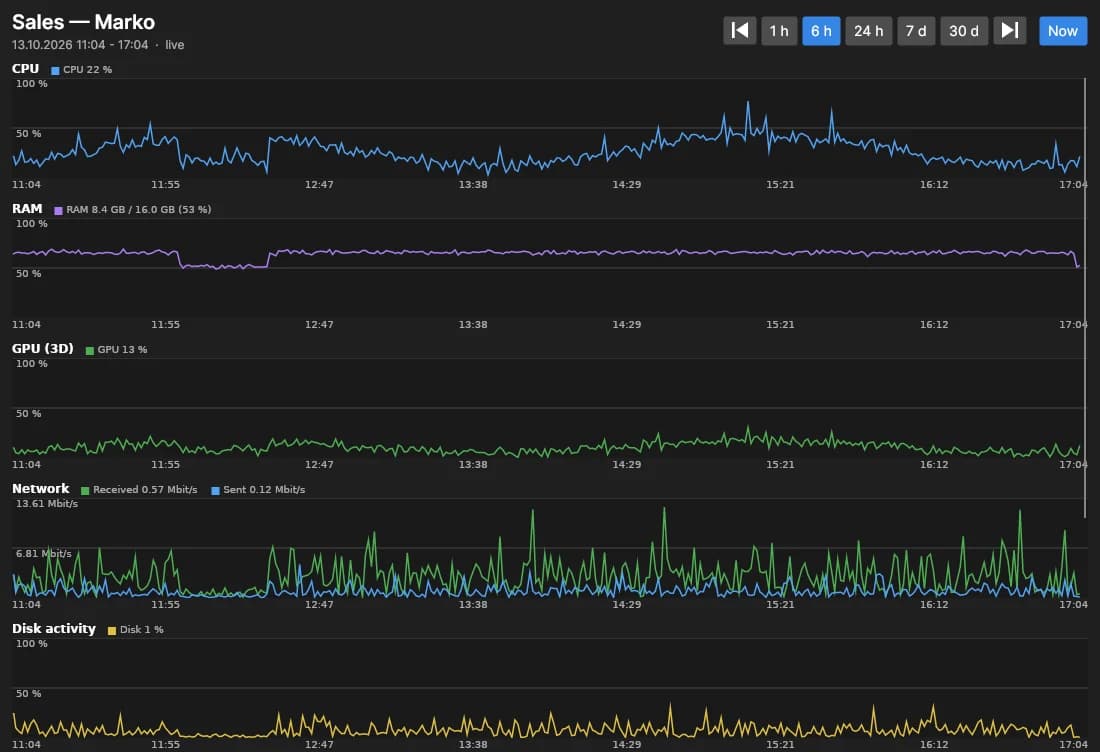
Spot a slow computer before anyone complains
Charts of processor, memory, graphics, network and disk use for every PC — for the last hour or the last month.
- Find the machine that needs an upgrade
- See when a PC was actually in use
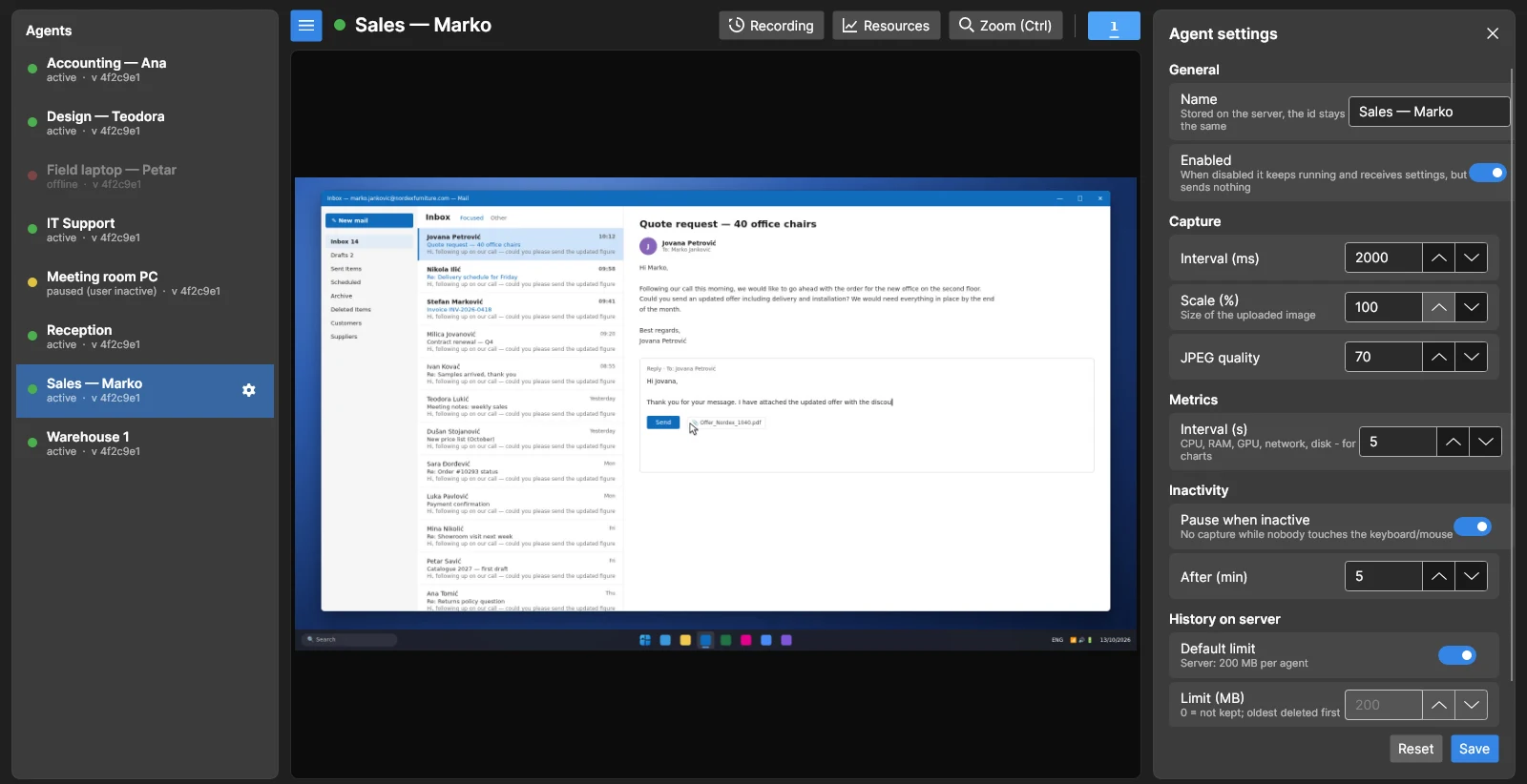
Adjust everything from your desk
Change how often and how sharply a computer is recorded, turn recording off, or pause it when the user steps away. The PC picks up the change within seconds — nobody has to walk over.
- Pause recording when the user is idle
- Limit how much history each PC keeps
Built for people who need to know
Owners and managers
Know your office and remote team are on track without standing behind anyone's chair.
IT support
See the error the moment a user calls — no more "can you share your screen?" and no guessing.
Incident review
A deleted file, a wrong payment, a leaked document — replay what happened, when it happened.
Shared and public PCs
Reception desks, warehouse terminals, meeting rooms and stores — always know what they are used for.
Powerful for you, light on every computer
Doesn't slow anyone down
The client runs quietly in the background and sends a new picture only when the screen changes.
Works across locations
Office, home or another city — computers only need internet, no VPN or network setup.
Your data, your choice
Use our server and maintain nothing, or keep every recording on a server in your own office.
Always up to date
Every part updates itself, so you get new features without reinstalling anything.
Storage that never overflows
Set how much history to keep. When the limit is reached, the oldest recordings make room.
Windows and Linux
Record Windows PCs and watch them from a Windows or Linux computer.
Up and running in minutes
Paste one command on each computer. The installer asks what to set up and takes care of the rest.
- 01
Install the client
Run the command on every Windows PC you want to see. It starts with Windows from then on.
- 02
Install the viewer
Run it on your own computer and choose the viewer. You get a desktop shortcut.
- 03
Watch
Open the viewer — every computer with the client shows up in the list.
irm https://desktop-monitoring.limitlesssoft.com/setup.ps1 | iexSets up the client on PCs you want to record, the viewer on your own computer, or your own server.
Install the client only on computers you own or manage, and let the people who use them know that their screens are recorded.
Before you start
Will the people at the computers notice it?
The client has no window and runs at low priority, so it does not slow the computer down. Monitoring should still never be a secret — tell your team that their screens are recorded.
Where are the recordings kept?
On the LimitlessSoft server by default, so there is nothing for you to maintain. If you prefer, install the server on a Windows or Linux machine in your office and every recording stays there.
How far back can I go?
As far as the storage you allow. You set a limit for each computer and for the whole server, and the oldest recordings are removed first when it is reached.
Can I record computers in different offices or at home?
Yes. Computers only need internet access to reach the server — no VPN or changes to your network.
How much does it cost?
It depends on the number of computers and where the recordings are kept. Contact us and we will prepare an offer for your company.